# Virtual Currencies
## 💰 What are Virtual Currencies
Virtual currencies are a core component of the Rewards platform, designed as customizable coins to reward loyal players and encourage spending. These currencies can be used in promotions, seasonal events, shop experiences, bonuses and more.
You can personalize virtual currencies to suit your needs, including the number of different currencies, their names, and how they appear on the My Rewards page.
Example of Virtual Currencies inside "My Rewards"
## 🛠️ Setting up Virtual Currencies
You can add new Virtual Currencies and manage existing ones under **Rewards -> Virtual Currency**.
Accessing the Virtual Currencies page
To add a new Virtual Currency, click on the "**Add new virtual currency"** option, then add an image, a name and a description to it.
Creating a new Virtual Currency
If you wish to edit or make changes to an existing virtual currency, just click the currency and the fields will become editable.
Editing an existing Virtual Currency
{% hint style="info" %}
**🧠 Note:** Virtual Currencies **cannot** be deleted while any players still hold a balance in that currency. This measure ensures the protection of existing player balances and prevents any disruptions in their Rewards experience.
{% endhint %}
{% hint style="warning" %}
**Important:** If you work with Origins and/or different languages using Communication Profiles, make sure to check the [My Rewards/Origins/Translations](https://www.fasttrack.ai/en/resources/knowledge-base/rewards/my-rewards) article for guidance on configuring Virtual Currencies for each one of your brands and markets.
{% endhint %}
## 🔌 Enabling Virtual Currency
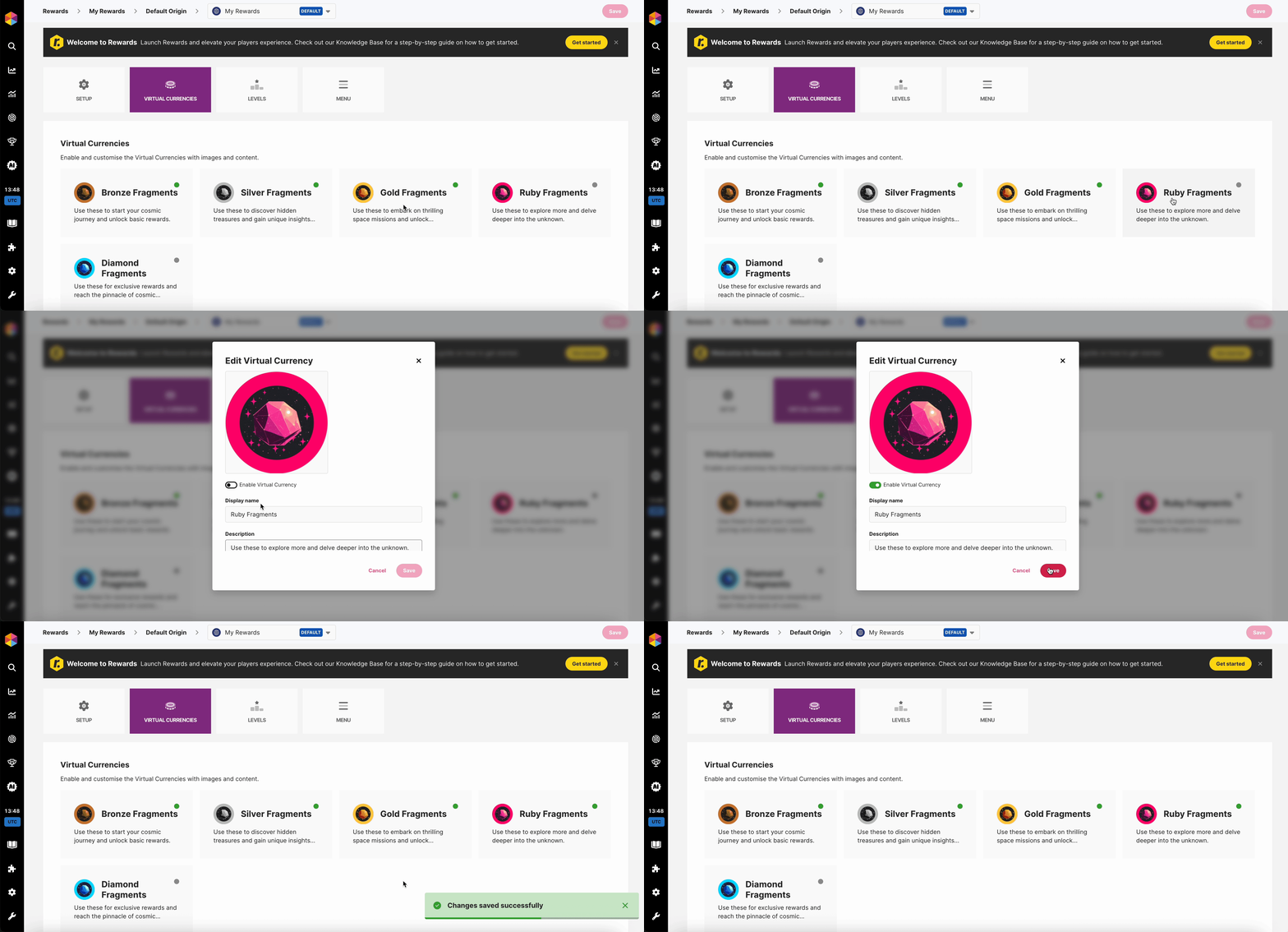
After creating a Virtual Currency, you must enable it from the **Default Communication Profile** so it becomes available across all brands and markets. Other communication profiles can only add translations, and they will only display currencies that have been enabled in the default one.
#### How to Enable a Virtual Currency
To enable it, open the **Default Communication Profile**, go to the **My Rewards / Virtual Currency** section, locate your new currency, and toggle it on. Once enabled, it will appear in all other communication profiles for translation and will be available for Bonuses, Activities, and all Rewards features.
## :coin: Creating Virtual Currency Bonuses
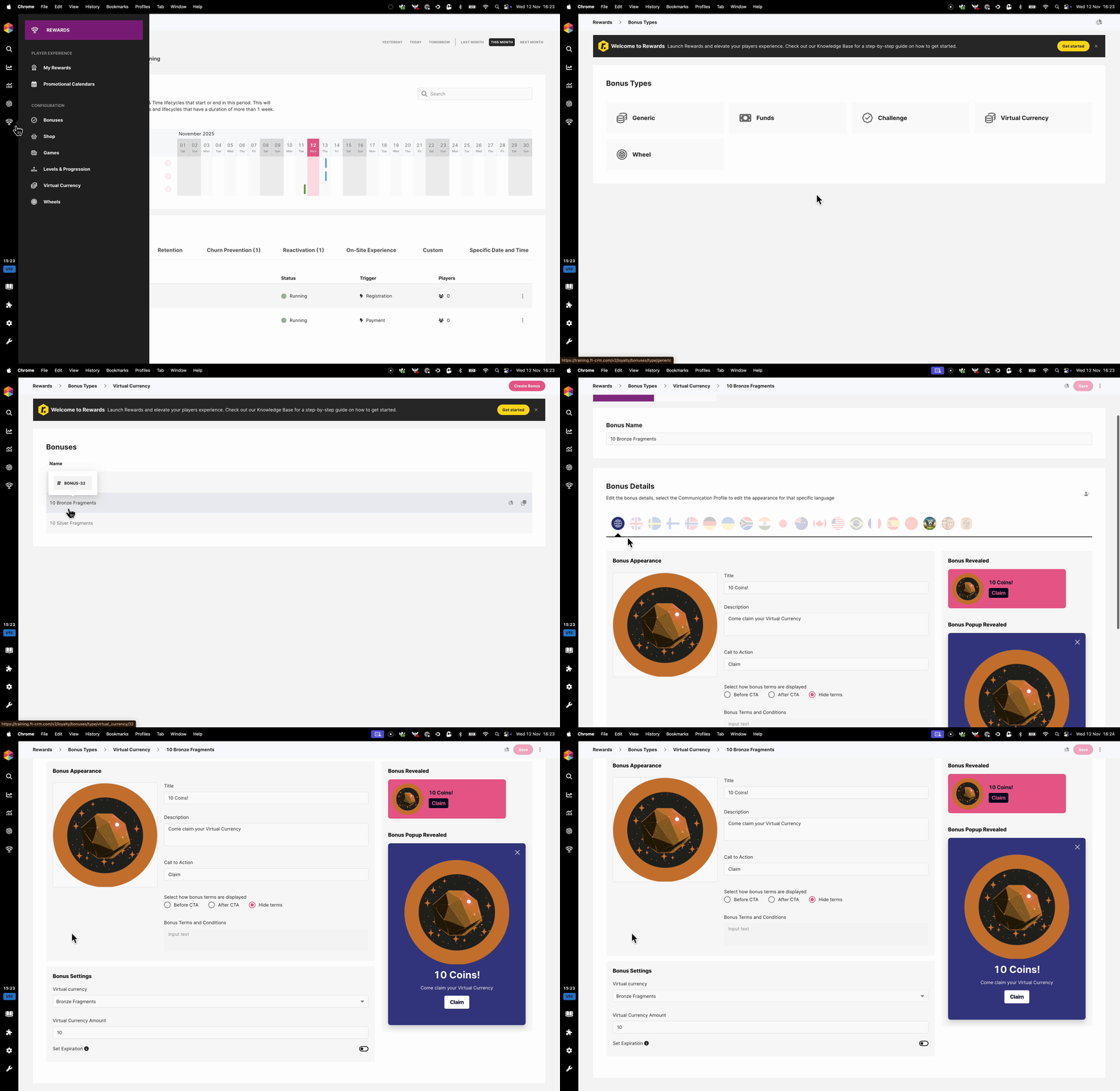
Once your Virtual Currency is created, navigate to Rewards -> Bonuses and select the **Virtual Currency** type, then click on **Create Bonus** and give it an internal name.
Fill in the appearance settings with the relevant content, then in the bonus settings you can select:
* **Virtual Currency** The Virtual Currency used for the token.
* **Virtual Currency amount:** How much Virtual Currency will be credited.
* **Set Expiration:** How long players have to click the CTA to claim the Virtual Currency once it has been credited.
Example Virtual Currency Bonus
{% hint style="success" %}
Once this is done, you can use this in your Levels, Calendars, Shops, Challenges and Wheels as a Bonus!
{% endhint %}
## 🎬 Other ways to Reward your Players
Once Rewards is implemented, a new Action type—[**Credit Reward**](https://www.fasttrack.ai/en/resources/knowledge-base/rewards/credit-reward-action)—will be available in your list of Activity Actions.
This new Action enables you to credit any Virtual Currency Bonuses that you've configured. These elements can then be used seamlessly across other areas of Fast Track CRM, including within Activities.\
\
Read more about the how to use [Actions](https://www.fasttrack.ai/en/resources/knowledge-base/ft-crm/actions) and [Activities](https://www.fasttrack.ai/en/resources/knowledge-base/ft-crm/activities).