# Levels & Progression
## 📈 What are Levels
Levels are another one of the Rewards platform core components and one of the main indicators of gamification within an environment. Levels serve two primary purposes: providing players with a goal and providing players with an enjoyable play experience.
In Rewards, you can create a fully customized **Level System**. This allows you to define which games contribute to the system and determine how Experience/Progression Points are earned by your players, amongst other things.
### 🛠️ Setting up a Level System
Creating and managing your Level System is pretty easy, you can find the option under **Rewards -> Levels & Progression.**
You are able to create as many Level Systems as you like!
Access Levels & Progression to create a New Level System.
To create your Level System, click on the "**New Level System"** option. Now, you will be taken to a new window where you will be able to add all the necessary details. Let's break it down with an example:
### ✏️ Name your Level System
As always, we recommend that you give your Level System a name that makes it easily identifiable in case someone else needs to look into it.
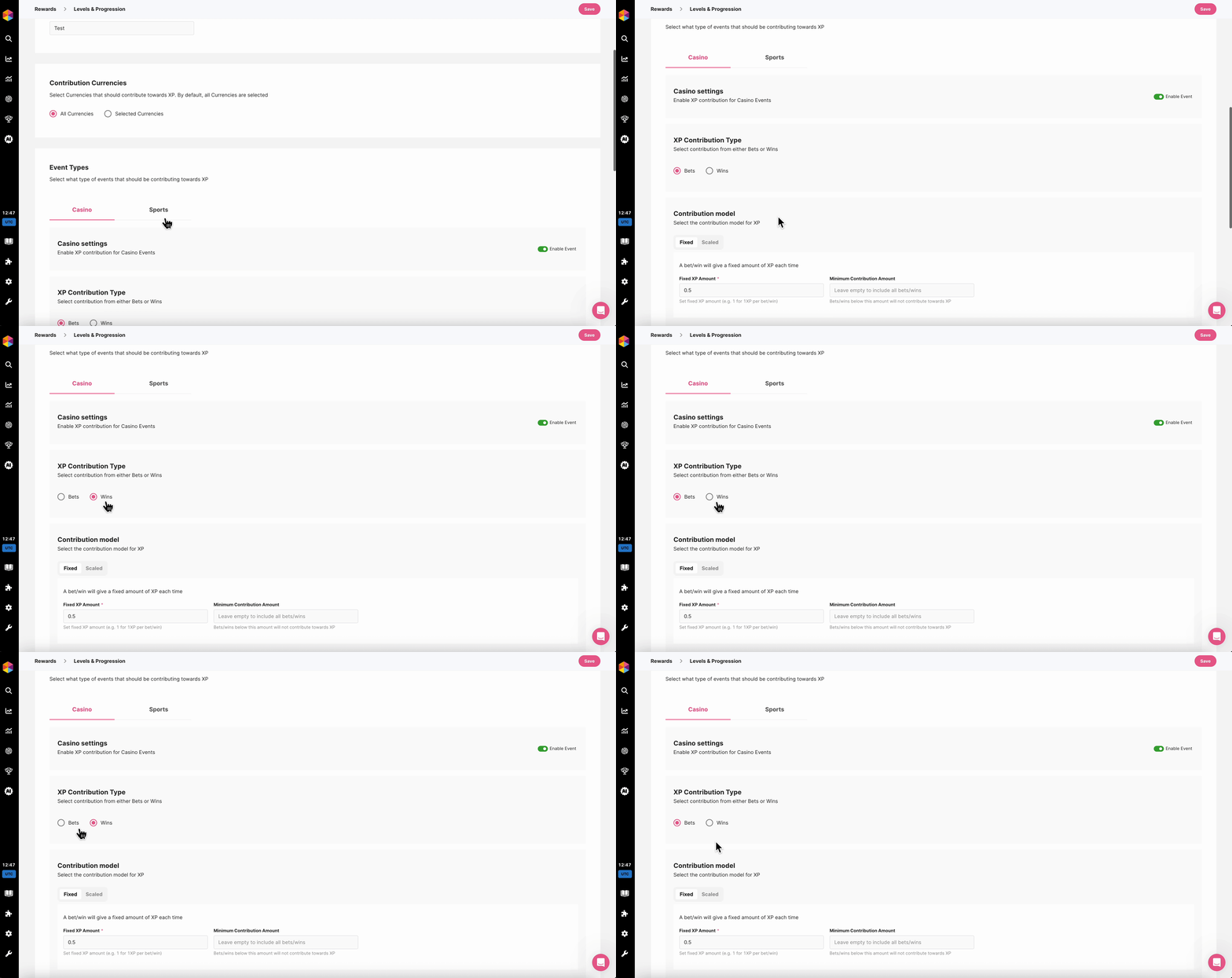
### :currency\_exchange: Contributing Currencies
Select if all currencies or only specific currencies will contribute to your Level System - more info on how to setup these currencies can be found in our Rewards Step-by-Step guide [here.](https://evo.ft-crm.com/v2/loyalty/bonuses/type/challenge)
Adding Specific Currencies
### :slot\_machine: Casino Settings
First configure how Casino events contribute to XP — choose which if wins or bets should count, and how XP is calculated. Use minimum and maximum contribution limits to control progression.
#### **XP Contribution Type**
Select how players will earn XP (Experience Points). You can choose between:
* **Wins** – Players receive XP for each winning bet.
* **Bets** – Players receive XP for every bet placed, regardless of the outcome.
XP Contribution Type
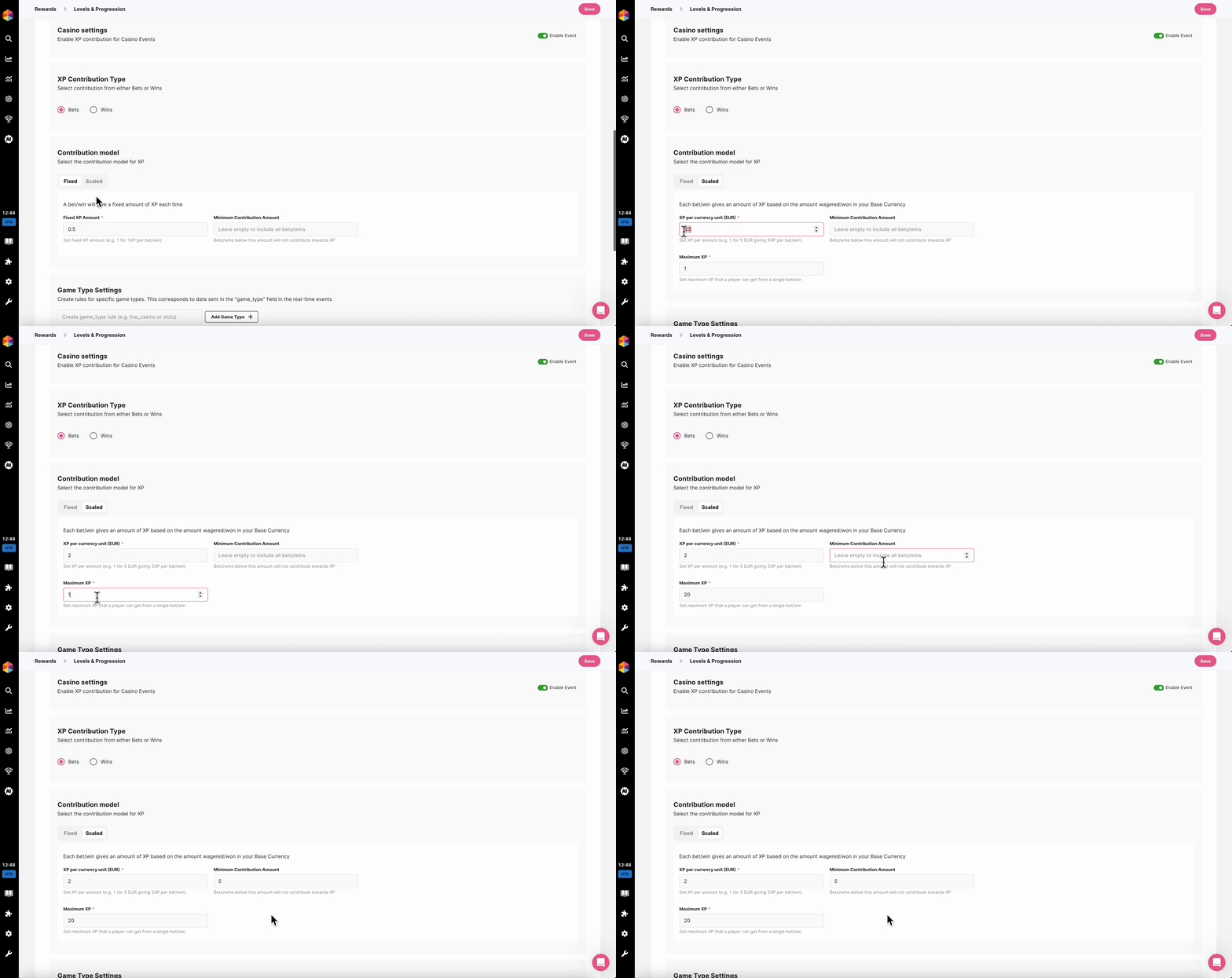
#### **Contribution model**
Here you can chose between two types of models with different set ups for each:
Fixed
A bet/win will give a fixed amount of XP each time. Here are the settings available in this model:
* **Fixed XP Amount** per bet/win
* **Minimum contribution amount,** to control how much a player has to bet/win to earn XP.
Scaled
Each bet/win gives an amount of XP based on the amount wagered/won in your Base Currency. Here are the settings available in this model:
* **XP per currency unit** bet/won, in your Base Currency.
* **Maximum XP,** to control how much XP can be won at once.
* **Minimum Contribution Amount,** to determine how much players need to bet/win to contribute to XP.
Above is an example that will give players **2XP per Euro bet**, for all bets **over 5 Euros**, with **20XP** being the maximum players can get for a single casino bet.
{% hint style="success" %}
**Game Type Settings:**
Allows you to create rules for specific game types. Game types correspond to data sent in the "game\_type" field in the real-time events, the options available here are the same than the Casino contribution model settings!
{% endhint %}
### :soccer: Sports Settings
In this section you can configure how XP contribution for Sportsbook Events should work.
{% hint style="warning" %}
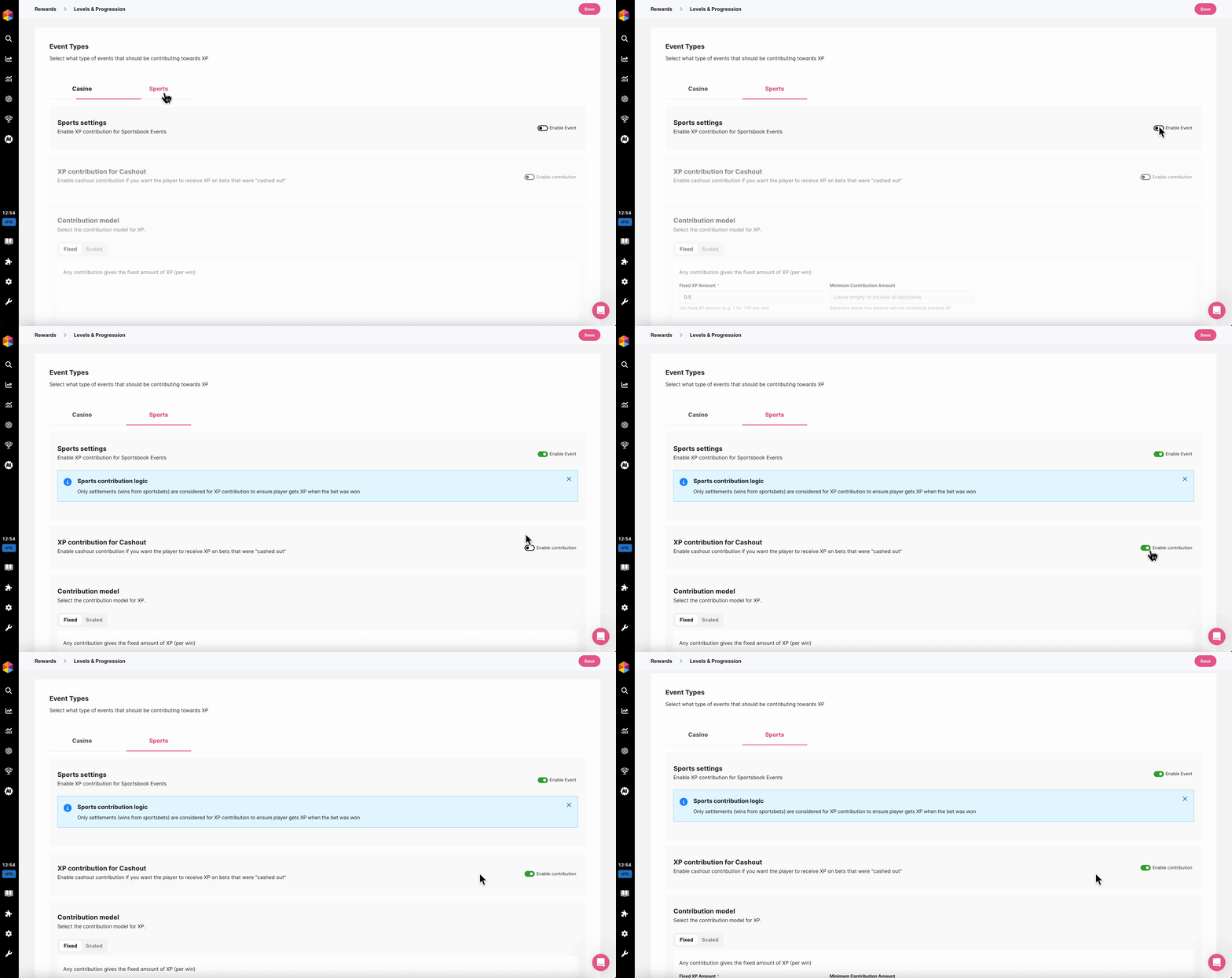
For now, only **settlements** (wins from sports bets) **are considered for XP contribution** to ensure player gets XP when the bet was won!
{% endhint %}
#### Enabling Sportsbook events and XP contribution for Cashout
Sportsbook event contribution is **disabled by default**, in order to make this work you will first need to **enable it.**
You can also decide to enable **XP contribution for Cashout** if you want players to receive XP on bets that were "cashed out":
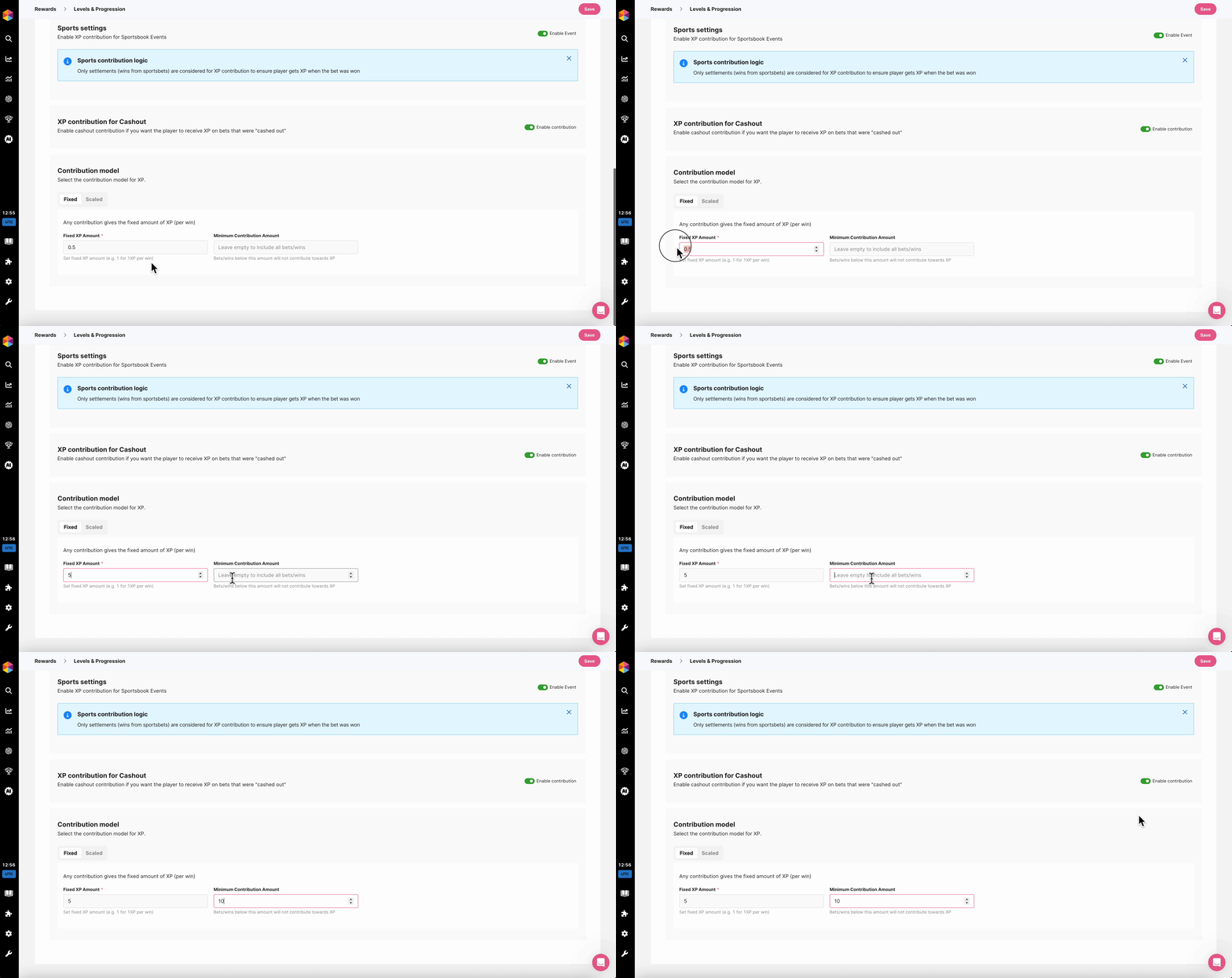
#### **Contribution model**
Here you can chose between two types of models with different set ups for each:
Fixed
A win will give a fixed amount of XP each time. Here are the settings available in this model:
* **Fixed XP Amount** per win.
* **Minimum contribution amount,** to control how much a player has to win to earn XP.
Scaled
Each win gives an amount of XP based on the amount won in your Base Currency. Here are the settings available in this model:
* **XP per currency unit** won, in your Base Currency.
* **Maximum XP,** to control how much XP can be won at once.
* **Minimum Contribution Amount,** to determine how much players need to win to contribute to XP.
Above is an example that will give players **5XP per Sportsbook win**, for all wins **over 10 Euros.**
### :video\_game: Contributing Games
From this option, you can add individual games that you would like to contribute to your player's progression. Similarly, you can exclude certain games from the Level System. This means that any activity in those games will not count towards player progression. You can also include/exclude specific providers.
To learn how to map your Games and make them show in this list, you can read [this](https://www.fasttrack.ai/en/resources/knowledge-base/rewards/games) article.
Now, the baseline has been set for your Level System. However, you still need to set up the actual indication of player progression: the **Levels**!
In Rewards, you will be able to add an unlimited amount of Levels. And creating them is quite easy.
### 🛠️ Setting up your Levels
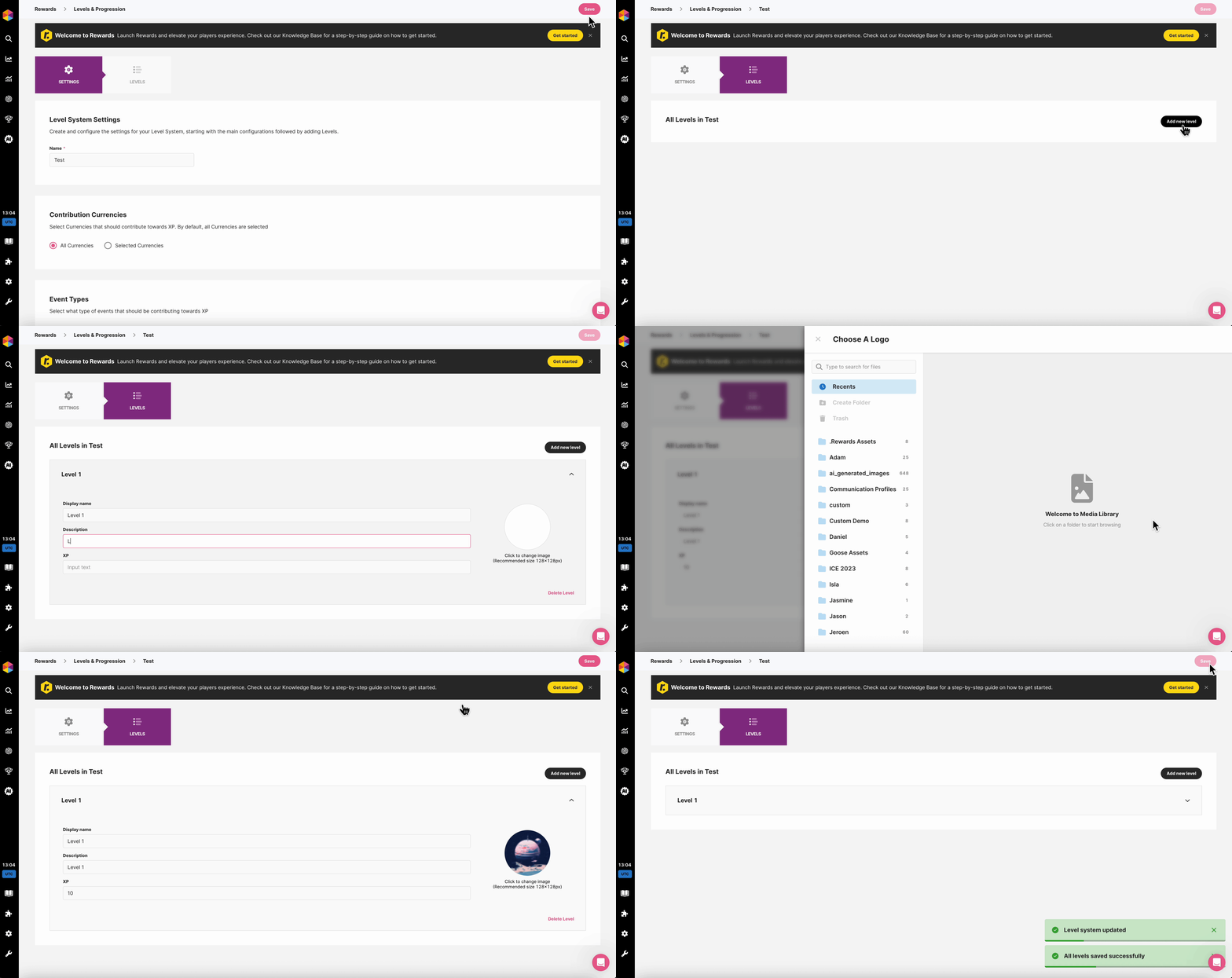
To create a Level, first **save your settings** and navigate to the Levels tab and click on the '**Add Level**' button. This will immediately add a new Level, where you will need to complete a few details:
* **Display Name**: The name of your Level.
* **Description**: Add flair or an explanation of what it means to have achieved this Level.
* **Image**: Choose an icon to make your Level easily recognisable.
* **XP (Experience Points)**: This will determine the number of XP a player needs to progress to this Level.
Adding Levels
After completing your Level & Progression settings, link them to your Rewards through the [**My Rewards** ](https://www.fasttrack-solutions.com/en/resources/knowledge-base/rewards/my-rewards)section. You can also assign additional [**Bonuses**](https://www.fasttrack-solutions.com/en/resources/knowledge-base/rewards/bonuses) to be released when a player reaches a specific Level.