# Users & Permissions
In this section of Fast Track CRM, you can manage **Users**, **Roles**, **Teams**, and **Permissions**. These tools help you organise access across different teams and ensure each person has the correct level of visibility and control within the system.
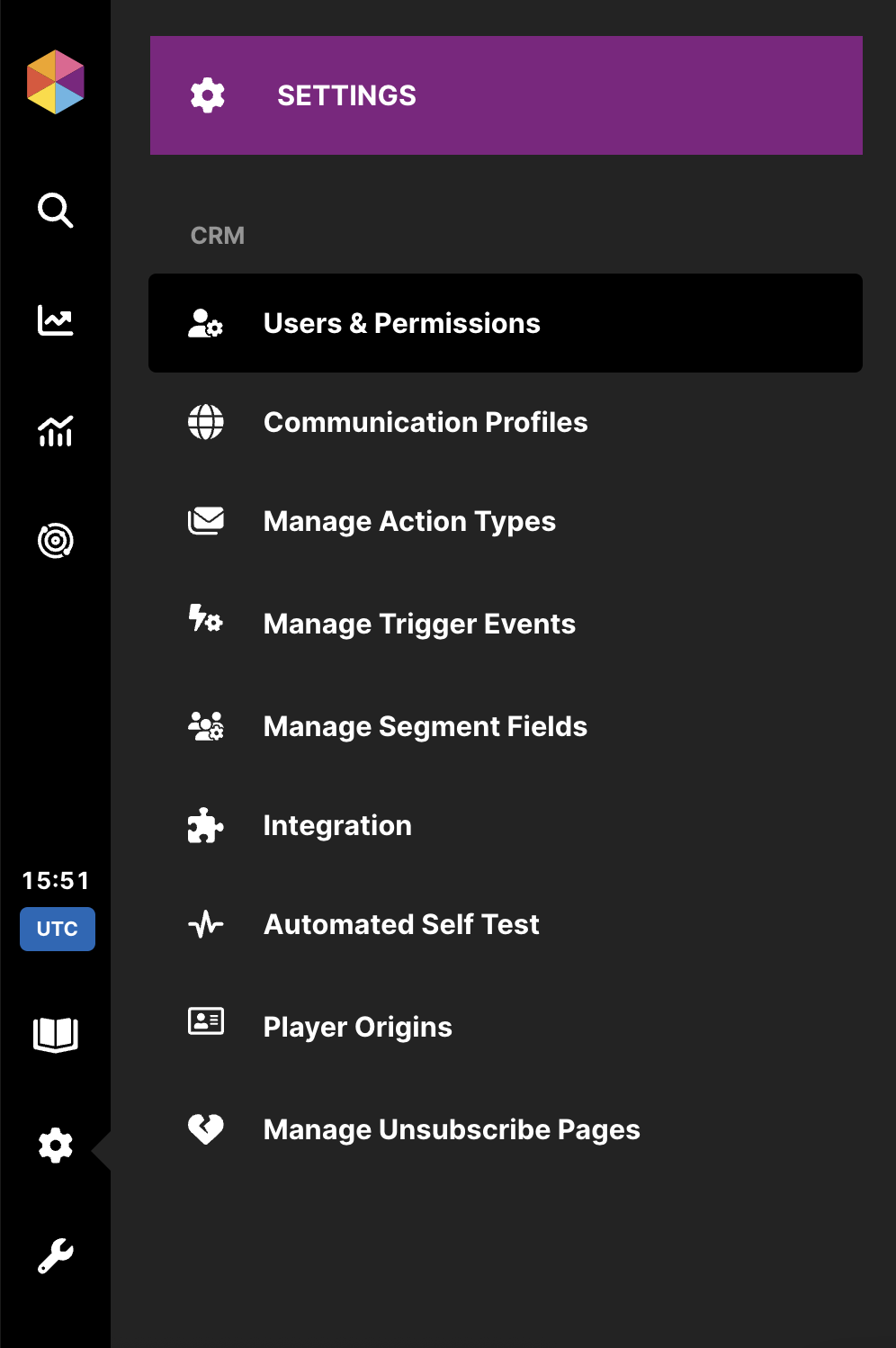
You can access **Users & Permissions** from **Settings** in the main menu.
Users & Permissions
## 👤 **Users**
Anyone with the **System Administrator** role or with **Administration & Management** permissions can create or modify users.
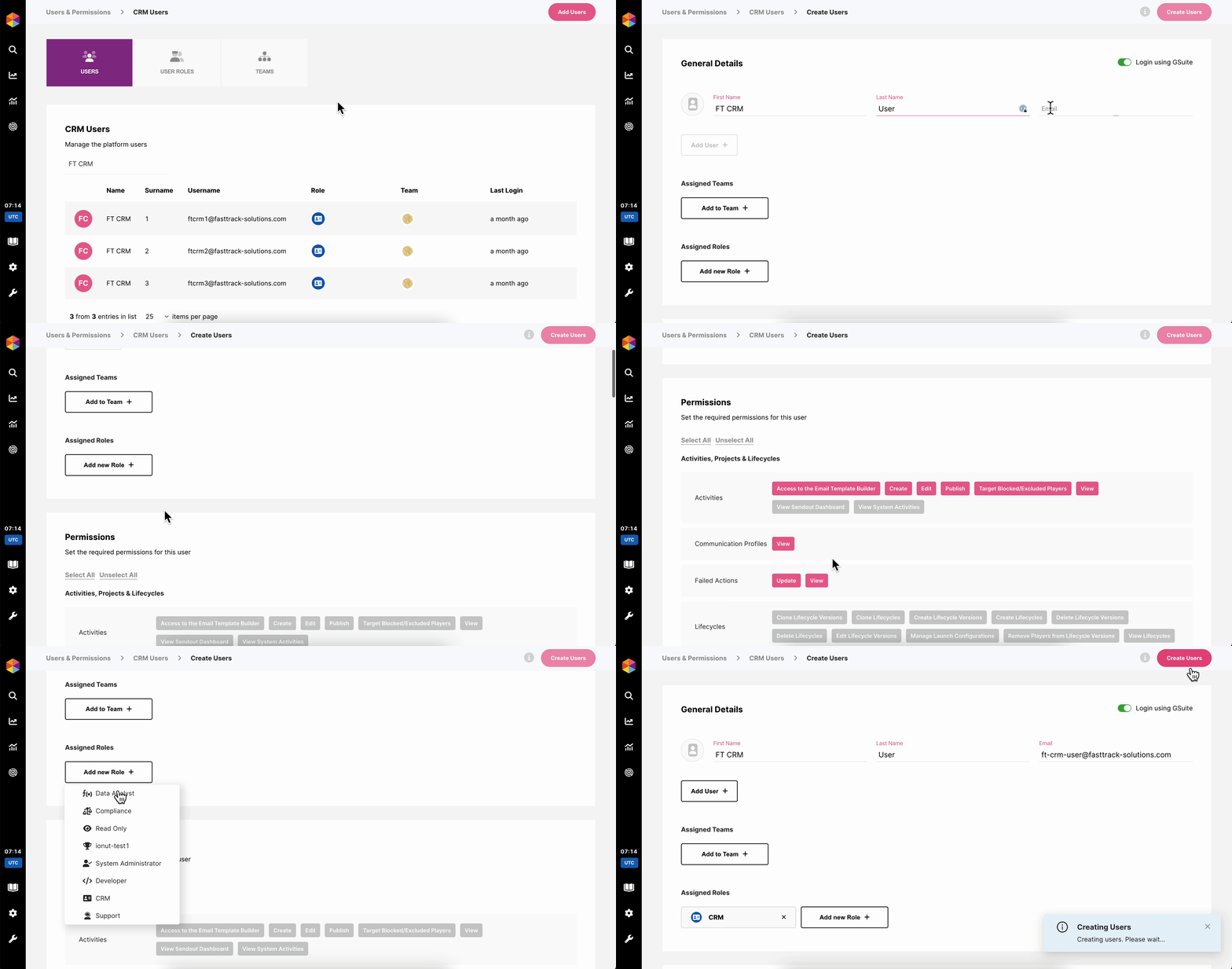
Within this section, you are able to:
* Create single or multiple users at once.
* Assign User Roles and Teams.
* Modify a user’s roles or teams at any time.
* Manually customise individual permissions by selecting or deselecting specific permissions as necessary.
Create new Users
{% hint style="info" %}
🔄 **Permission Accumulation:** When a User is assigned to **more than one User Role and/or Team**, they will accumulate all of the active permissions enabled for those selections.
{% endhint %}
## 🔐 **Managing Access to Sensitive Data**
In Fast Track CRM, any Segment Field can be marked as **Sensitive Data**, allowing you to restrict visibility for users who should not access it.
{% hint style="success" %}
By default, the following fields are **considered sensitive:**
* Last Name
* Username
* Address
* Date of Birth
* Email
* Phone Number
{% endhint %}
Marking a Segment field as Sensitive Data
You can manage which Fast Track users can see this data marked as sensitive, to do so make sure they have the permission enabled for **Player Management -> View Sensitive Information**
Permission for Sensitive Data
## 🦸 **User Roles**
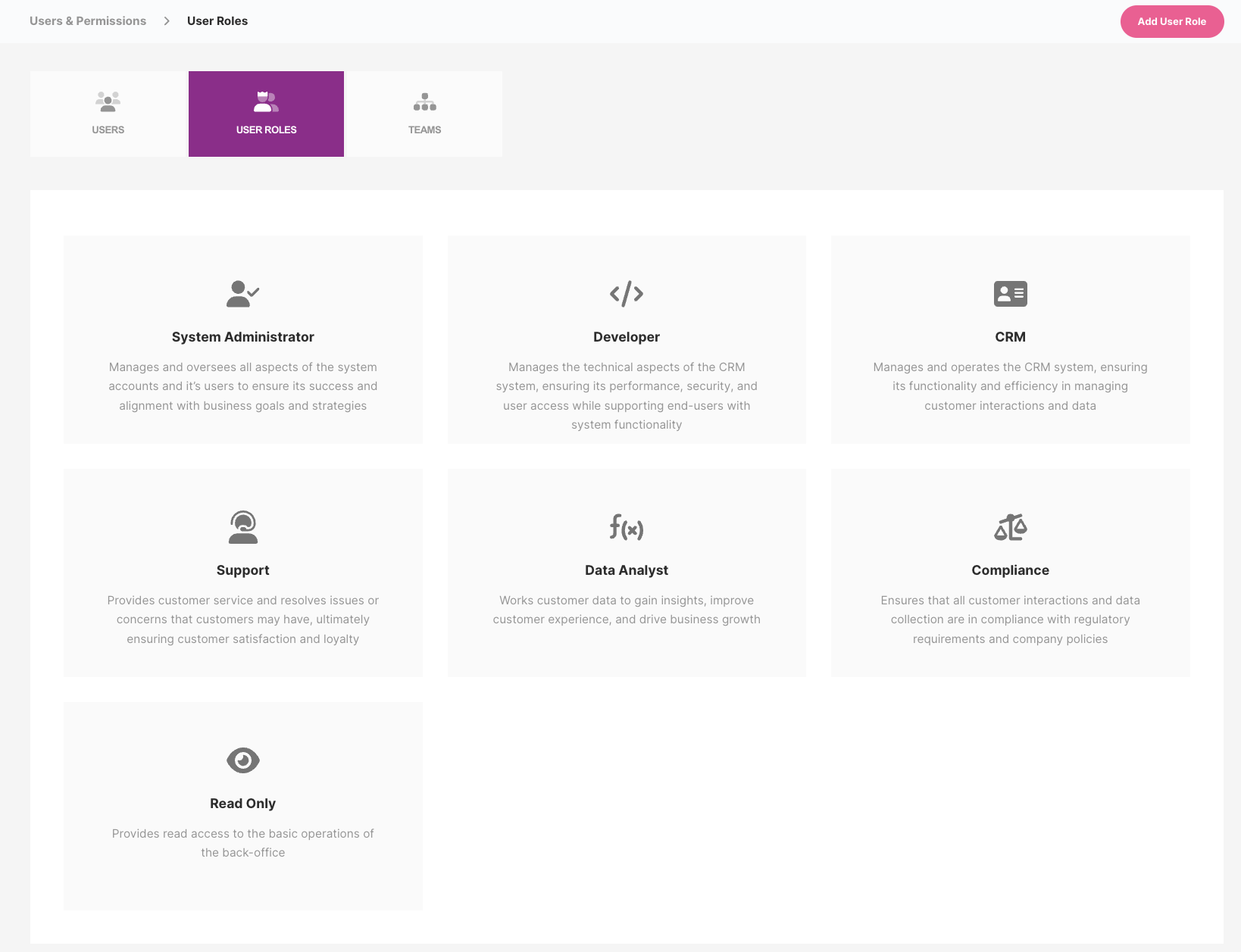
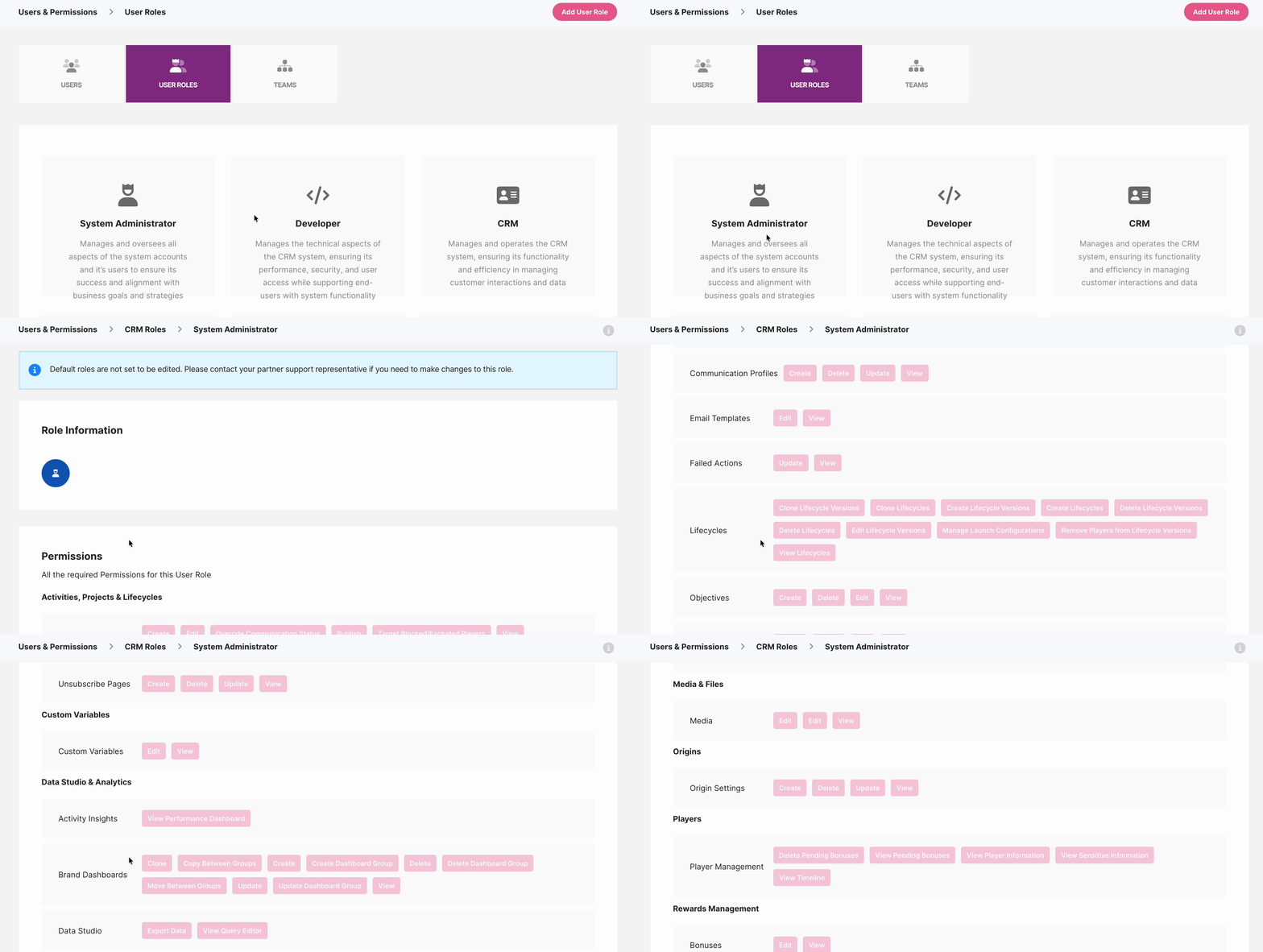
User Roles define a collection of permissions that can be assigned to individual users or entire teams. Each User Role comes with a pre-configured set of permissions. \
We provide seven default roles:
* **System Administrator**
* **Developer**
* **CRM**
* **Support**
* **Data Analyst**
* **Compliance**
* **Read Only**
User Roles
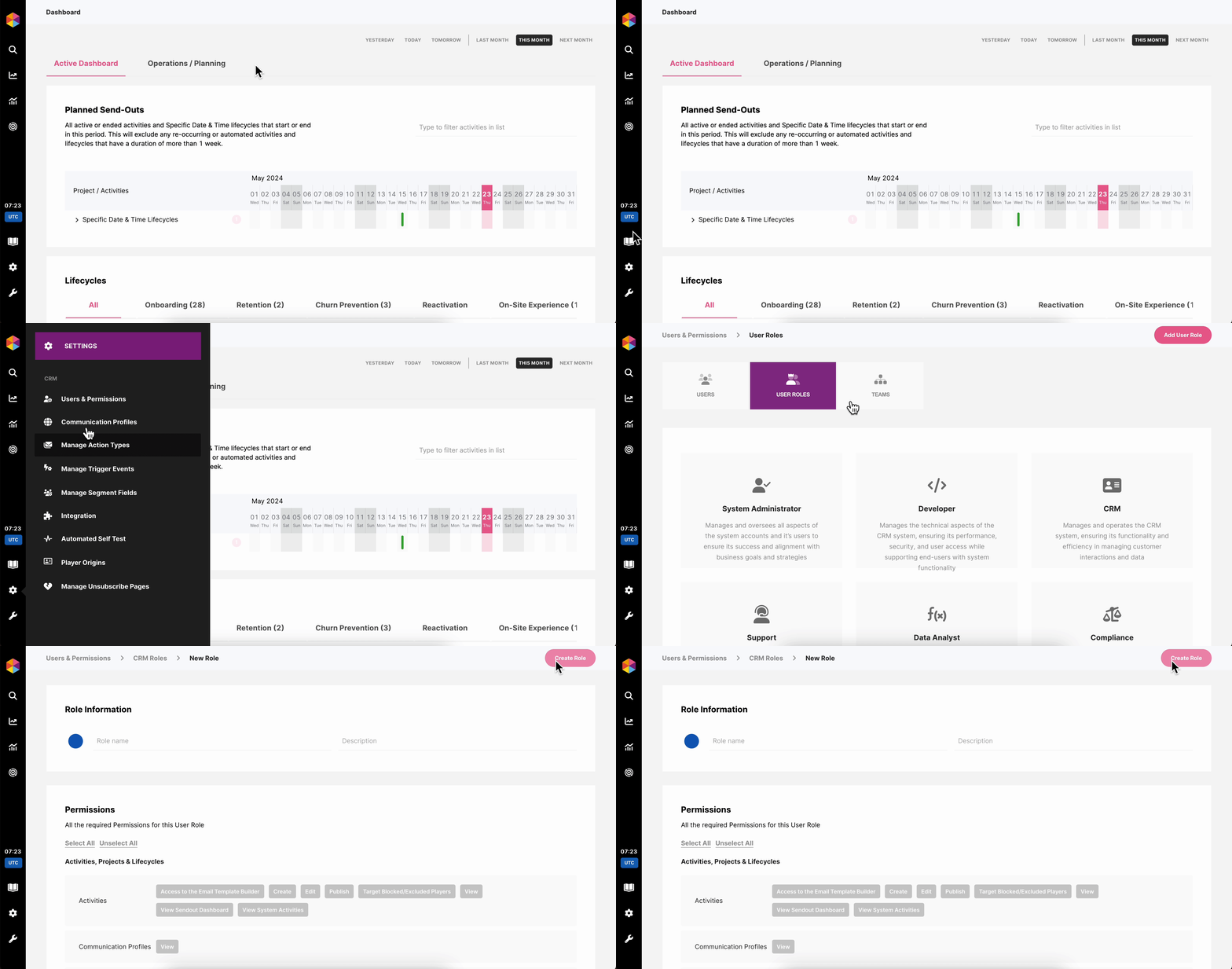
On the User Roles page, you can also add a **new** **custom User Role**:
Add a new User Role
## ⭐ **User Role Capabilities & Access Overview**
This section gives you a quick summary of what each default User Role is meant to do. The exact permissions that each role includes, can be checked from the section **Users & Permissions -> User Roles** by clicking on each role.
System Administrator
Full platform access. This role can manage every configuration, integration, and user in Fast Track CRM.
**Key capabilities:**
* Create, update, delete **Users**, **Roles**, **Teams**
* Manage **Integrations**, **Alliances**, **Origins**
* Access all sections: Activities, Players, Lifecycle versions, Segmentation, Triggers
* Configure Data Studio, Private Dashboards, and Analytics
* Manage Media, Content Library, Feature Types
* Access Testing Portal, Service Portal, and Data Migrations
**Typical users:** IT leads, senior developers, system owners.
Developer
Focused on system integration, testing, and backend configuration.
**Key capabilities:**
* Access **Integration Hub**, Alliances, Origins
* Perform **Data Migrations**
* Use **Live Console** and **Testing Portal**
* Create/edit Trigger Events and system automations
* Create/edit Feature Types, Player Features, and Computations
**Typical users:** Backend developers, data engineers, integration specialists.
CRM
Designed for users managing player engagement, communications, and customer journeys.
**Key capabilities:**
* Create/edit **Activities**, **Lifecycles**, **Email Templates**
* Segment players, create Trigger Events, manage Segment Fields
* Access QA and publish activities
* Manage Content Library, Media, Action Groups
* View and edit Player Rewards (optional)
**Typical users:** CRM Managers, CRM Specialists, Campaign Coordinators.
Support
Provides access to player-related information and tools required to assist customers.
**Key capabilities:**
* View player information, timeline, rewards, pending bonuses
* Access Service Portal
* View/edit certain Player Rewards components
* No access to Activities, Segmentation, or Integrations
**Typical users:** Customer Support agents, VIP managers.
Data Analyst
Focused on analytics, dashboards, and data exploration.
**Key capabilities:**
* Access **Activity Insights** and performance dashboards
* Create/clone/update **Private Dashboards**
* Explore data in **Data Studio**
* Use Query Editor and export data
* View, but typically not edit, Activities or Player data
**Typical users:** BI analysts, performance teams, data teams.
Compliance
Provides monitoring and restricted-level access needed for regulatory oversight.
**Key capabilities:**
* View player data (including sensitive, if enabled)
* Access Segments/Trigger Events (view only unless customised)
* Access dashboards relevant for AML/KYC/compliance reporting
* No access to editing lifecycles, communications, or integrations
**Typical users:** Compliance officers, AML/KYC teams.
Read Only
A safe role for stakeholders needing visibility but no editing capabilities.
**Key capabilities:**
* View Activities, Players, Lifecycles, Segments, Dashboards.
**Typical users:** Managers, partners, high-level stakeholders.
## 👥 Teams
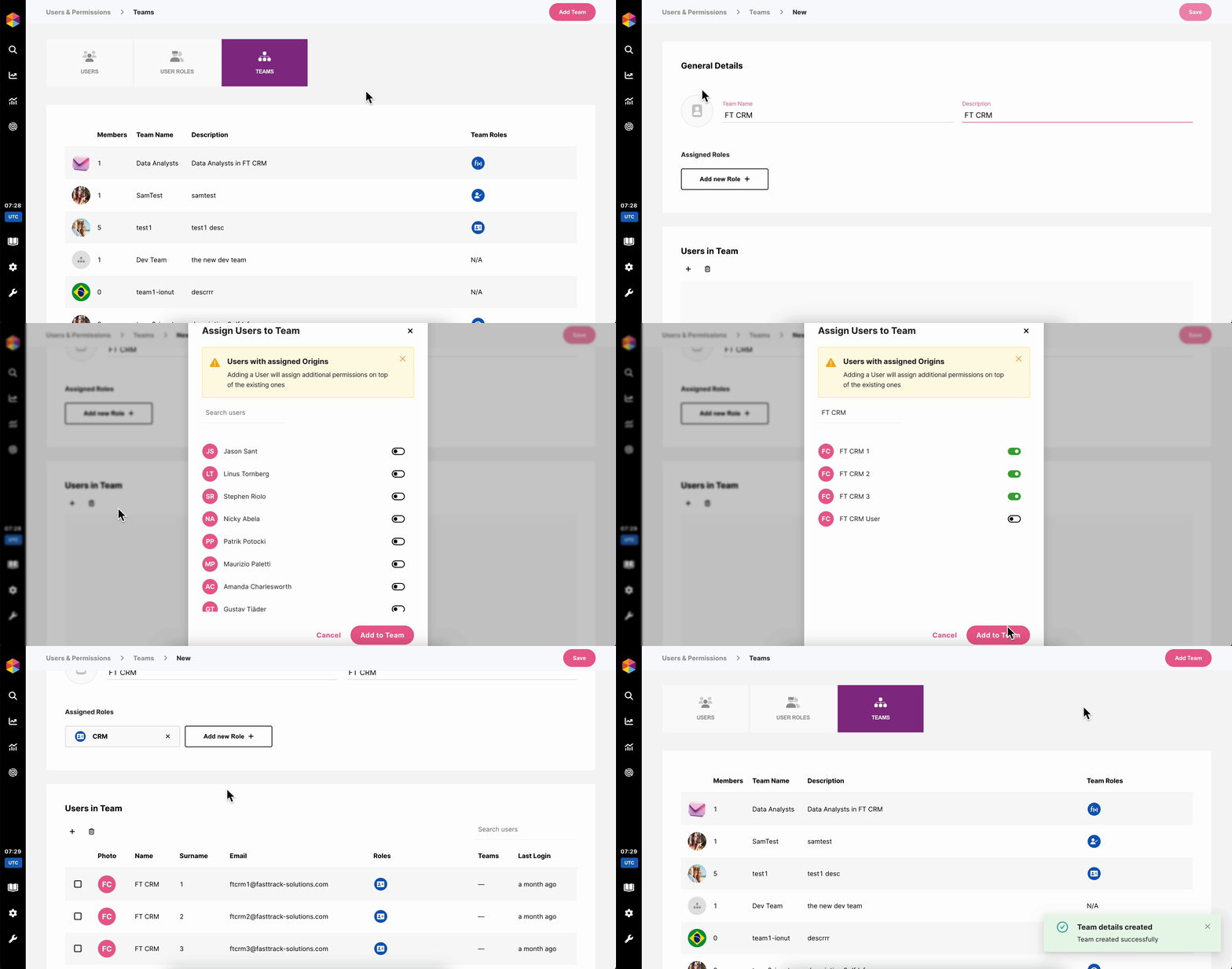
Teams allow you to manage User Roles and permissions for multiple Users at the same time. \
\
For example, with Teams, you can grant access to your entire CRM team at once, and if you ever need to manage their access, you can do so in bulk by changing or adding User Roles assigned to that team. Similarly, when someone new joins your CRM team, you can give them all the necessary permissions by simply adding them to the appropriate Teams.
Creating new Teams
## ❓ **FAQ**
1. What happens if a user has multiple roles?
They receive the **combined** permissions of all roles and teams assigned. Permissions accumulate rather than override each other.
2. Can I manually modify a specific permission for a user?
Yes. You can do this manually by clicking on that specific user from **Users** tab and selecting or deselecting specific permissions.
3. Why can’t a user see certain fields in Player Management?
Those fields are likely marked as **Sensitive Data**.\
Ensure the permission **Player Management → View Sensitive Information** is enabled for that user or their role/team.
4. What role should I assign to a new CRM team member?
Use the **CRM** role.\
Optionally you can add more permissions if needed.
5. Who should have System Administrator access?
Only personnel who truly need full access, as this role can modify users, integrations, and system-level configurations.
6. Can I create custom roles?
Yes. You can create custom roles from scratch and assign them the permissions that you want.
7. Can I limit access to specific dashboards or data?
Yes. You can manage all the permissions related to Dashboards and Data from the Data Studio & Analytics.
8. How do Teams interact with Roles?
Teams act as containers for roles. A user inherits all permissions from:
* Individual roles assigned to them
* All roles assigned to teams they belong to