# Broadcasting - Telegram
Broadcasting through **Telegram** in Fast Track CRM allows you to engage directly with your audience using customised messages, media, and interactive buttons.
{% hint style="warning" %}
Telegram is still **in development** - you can reach out to your Integration or Partner Manager to get access to this feature.\
\
Information about the Telegram integration can be found :point\_right: [here](https://www.fasttrack.ai/en/resources/integration/channels/telegram-broadcasting)
{% endhint %}
## :hammer\_pick: Creating a Telegram Broadcast
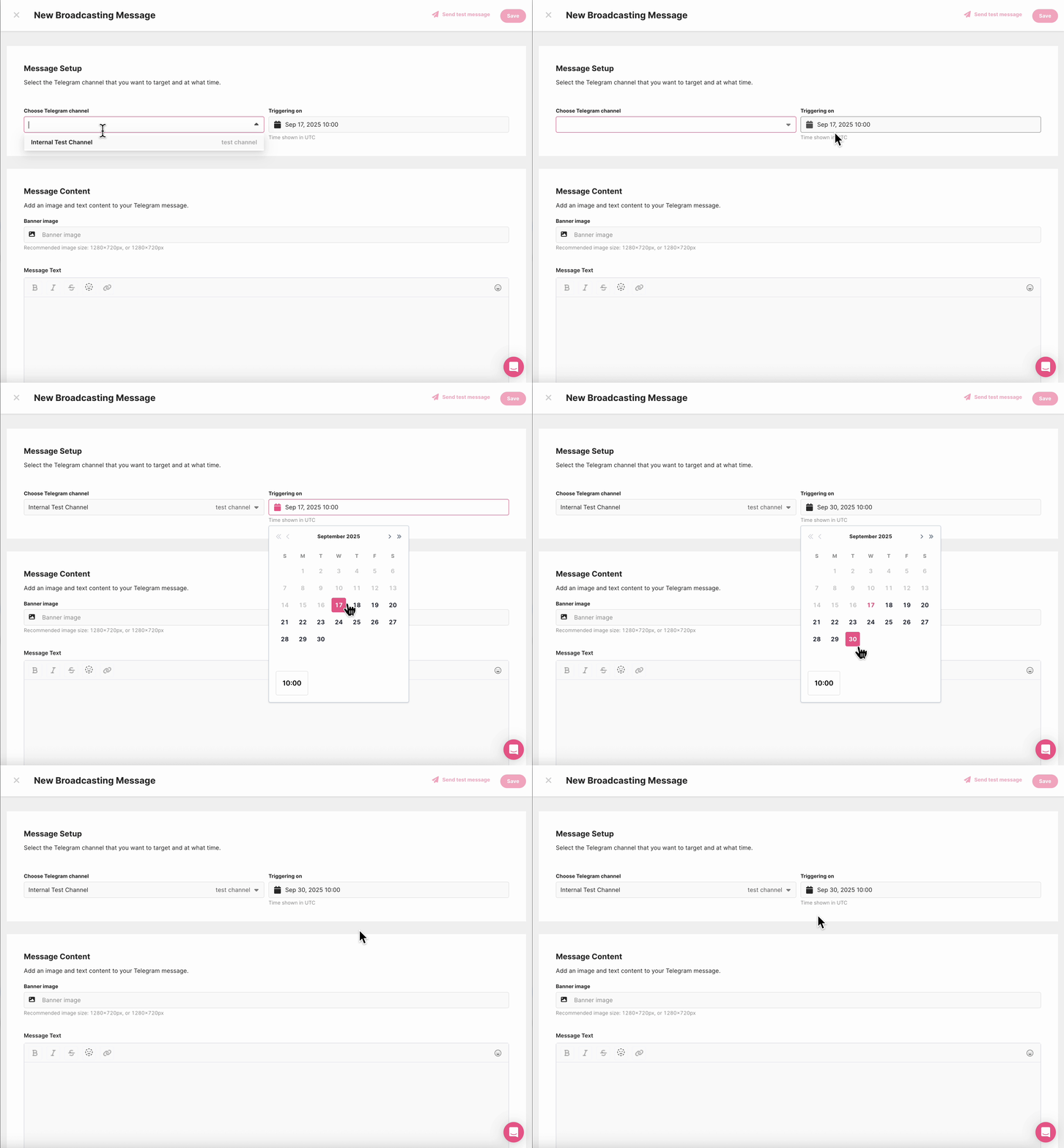
You can navigate to **CRM -> Channel Broadcasting,** click on **New Message** at the top right to create a new Telegram broadcast, then follow these steps:
Choose the **Telegram channel** the message will be broadcasted to, and **set the Triggering time.**
Then **, add a banner**, you can use the Media Library to add an image (this is **optional**)
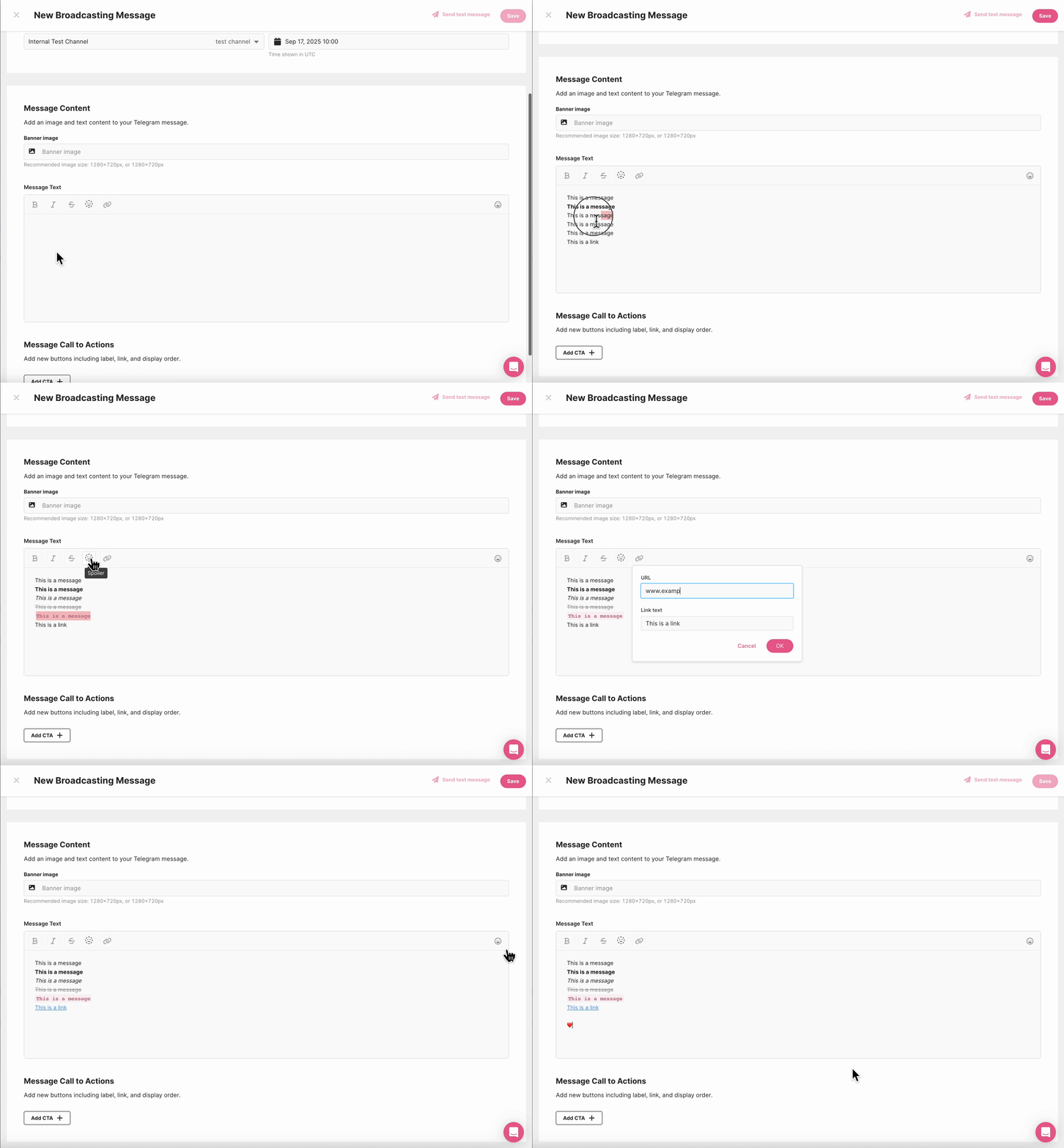
Next you can type the content of your message, Telegram allows for rich formatting, so your content can include:
* Emojis
* **Bold**, *italic*, ~~strikethrough~~
* Links
* ||Spoilers|| (a **Telegram-exclusive** feature)
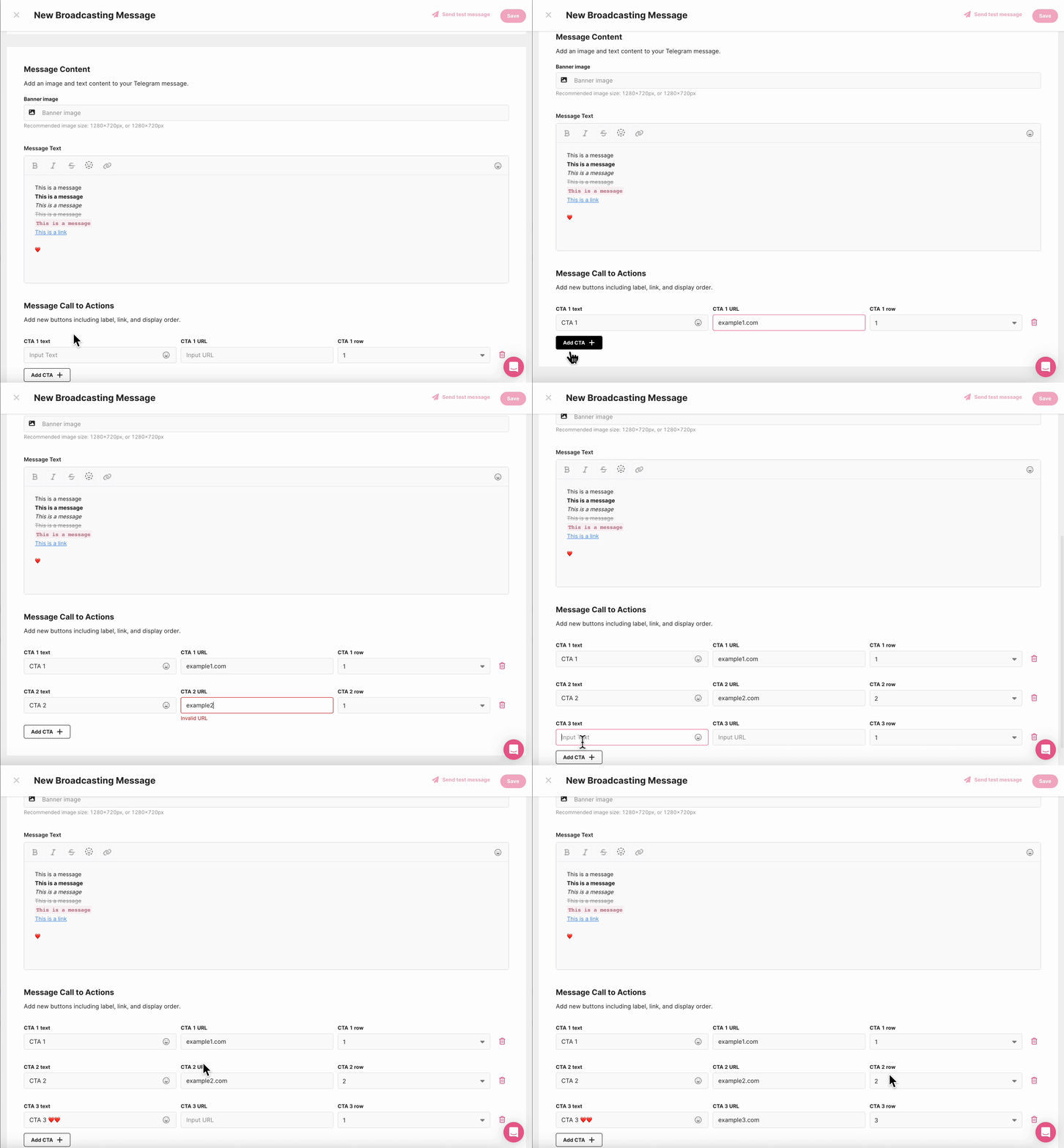
Finally, you can **build the CTAs (buttons),** CTAs appear at the bottom of the broadcast and link your players directly to an action. For each button, define the label, the URL, and its position.
## :vertical\_traffic\_light:Broadcast Statuses
Every Telegram broadcast has a clear status, so you can track progress at a glance:
* **Ready** – created but not yet enabled
* **Active** – scheduled and enabled
* **Disabled** – inactive
* **Delivered** – successfully sent
* **Failed** – delivery was not successful
## :test\_tube: Testing Your Broadcasts
Before going live, we strongly recommend using a **Test Channel**. This gives you a safe staging environment to check:
* Layout and formatting
* Button arrangements
* Links and media
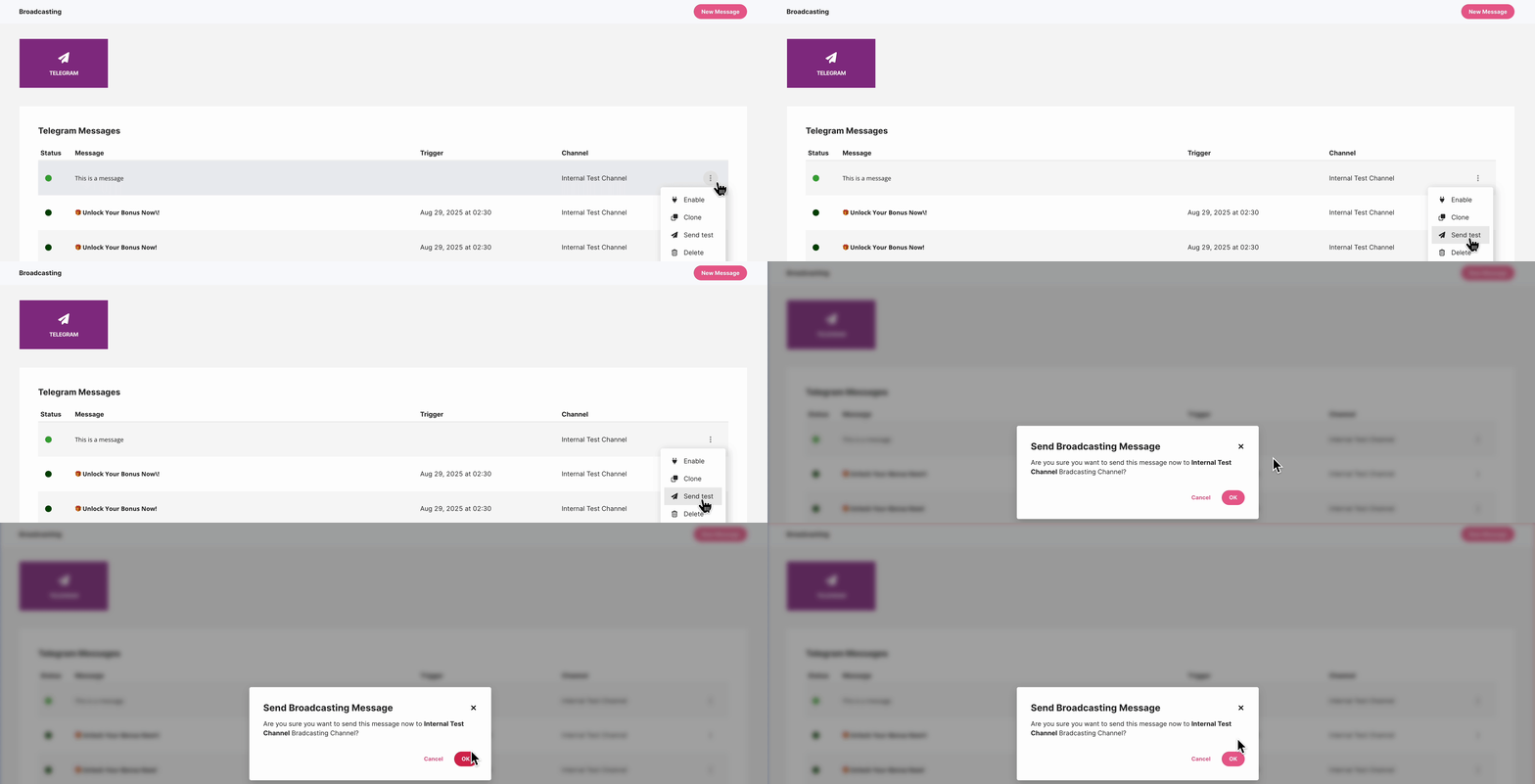
When editing your message, you can use the **Test Message** button (top-right) to send a direct preview to your Test Channel or click on the ellipsis of the relevant message in the main Telegram menu and select **Send Test**.
This ensures your campaign looks exactly how you want it to — on both desktop and mobile — before your players ever see it.
## :white\_check\_mark: Best Practices for Telegram Broadcasts
A great broadcast isn’t just about sending a message — it’s about creating impact. Keep these tips in mind:
Message Content
Keep it short, clear, and to the point
Use formatting to highlight key elements without overloading
Add emojis where they enhance tone, not distract
Media
Choose images that are eye-catching but lightweight
If no media is needed, let your message and CTAs shine
CTAs
Use clear, action-driven wording (e.g., *“Play Now”*, *“Claim Bonus”*)
Keep the number of buttons manageable
Put the most important CTA in the first row for maximum visibility
Testing & QA
Always send a test before going live
Double-check formatting, URLs, and layouts on both mobile and desktop
Use your Test Channel for staging and refinement
Scheduling
Time your broadcasts for when your audience is most active
Focus on consistency rather than frequency — avoid overwhelming players
Setting up a Telegram broadcast in Fast Track CRM is straightforward when you follow the flow: select your channel, craft your content, add CTAs, and test before going live.
With the right preparation, you can use this to run polished campaigns that feel personal, timely, and engaging!